


The approach to network management within enterprises is undergoing significant transformation. Historically, operations depended on tickets, emails, and isolated tools—methods that often resulted in delayed responses and fragmented communication. Given the demands of continuous infrastructure availability, such traditional models have become inadequate.
ChatOps represents a progressive solution by integrating automation and operational workflows directly into collaboration platforms, such as Slack, Cisco Webex, and Microsoft Teams. This integration establishes a unified environment where engineering, operations, and security teams can coordinate efficiently. Key benefits include accelerated response times, enhanced visibility, and improved collaboration across departments.
This article will examine the implications of ChatOps for network automation, compare major collaboration platforms, and outline steps for implementing ChatOps workflows within an enterprise setting.
What is ChatOps?
ChatOps refers to carrying out operational tasks within chat platforms. Rather than using dashboards, consoles, and email separately, engineers can:
- Execute commands or playbooks from a chat window.
- Receive real-time alerts and telemetry in a team channel.
- Record all discussions and actions in a unified, searchable history.
This approach increases visibility, provides shared context, enables quicker resolutions, and shifts away from traditional ticket-driven processes.
Why ChatOps for Network Automation?
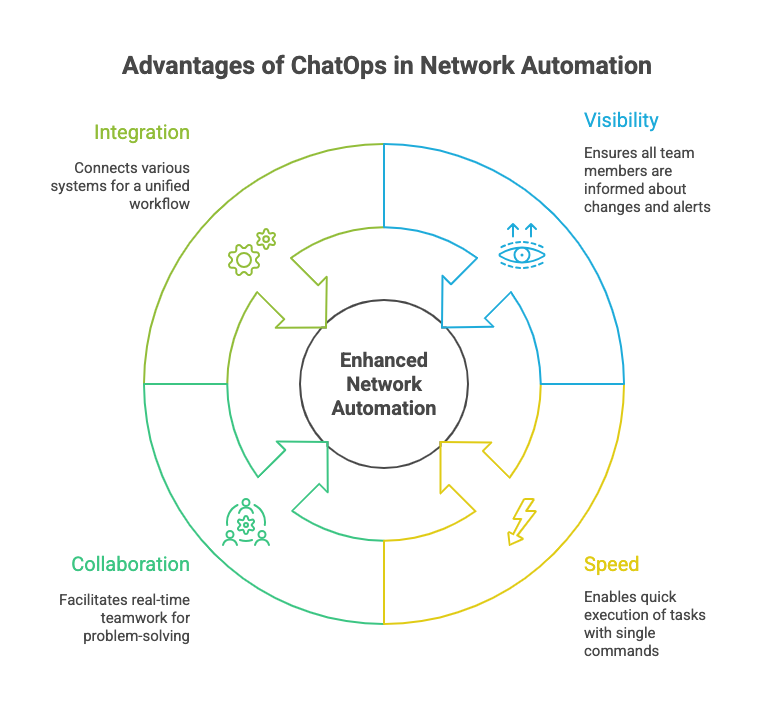
When utilized for network automation, ChatOps provides the following advantages:
- Visibility: Changes and alerts are communicated to the entire team, helping to eliminate information silos.
- Speed: Engineers are able to execute playbooks or scripts efficiently with a single command.
- Collaboration: Teams collaborate in real time to address troubleshooting issues and manage deployments.
- Integration: ChatOps interfaces with CI/CD systems, monitoring platforms, and ITSM tools, integrating network automation into a comprehensive operational workflow.
 Key Platforms and Their Role
When it comes to modern network operations (NetOps), your chat platforms aren’t just for talking—they’re central to your automation. They connect your teams and your tools, making everything faster and more transparent.
- Slack: A favorite among many for its huge ecosystem. Teams can launch automation with simple commands, like starting a Jenkins pipeline or an Ansible playbook. It’s also great for getting real-time alerts from monitoring tools like Grafana. You can even build your own bots to check on device status or validate configurations.
- Cisco Webex: If your network is built on Cisco, Webex offers a natural and deep integration. Cisco DNA Center can send alerts and insights directly to a Webex space, and you can use bots to interact with Cisco Meraki or Webex APIs for monitoring and configuration.
- Microsoft Teams: For teams that live in the Microsoft 365 world, Teams is the perfect fit. It uses the Power Automate ecosystem to streamline workflows, allowing you to automate approval processes and integrate seamlessly with other platforms like ServiceNow, GitHub, and Jenkins. It provides a consistent, all-in-one experience for any organization standardized on Microsoft
Building a ChatOps Workflow
- Identify Use Cases – Don’t start with complex, mission-critical tasks. Begin by identifying simple, low-risk actions you can automate.
- Examples: network health checks, VLAN deployment, troubleshooting BGP sessions.
- Select Tools – Choose the tools that best fit your existing environment and needs.
- Combine a chat platform (Slack, Webex, Teams) with an automation engine (Ansible, StackStorm, Jenkins, NSO).
- Integrate Bots and Connectors – This is where the magic happens. A simple command in your chat should trigger an action in your automation engine.
- Use APIs, webhooks, or prebuilt integrations to connect chat commands with automation workflows.
- Set Guardrails – Before you give your team the keys to the automation kingdom, set up clear rules.
- Apply RBAC and approval flows to control who can trigger automation and under what conditions.
- Expand Gradually
- Begin with small, read-only automations. Over time, scale to changes and deployments as trust grows.
 Challenges and Best Practices for a Smooth Transition
Making the move to ChatOps is a huge step, but it’s not without its hurdles. It’s not just about technology; it’s also about people. Here’s a deeper look at the common challenges you might face and some key best practices to ensure your success.
Overcoming Challenges
- Security: Empowering your team to modify the network via chat commands necessitates robust security measures. Protection involves not only preventing unauthorized access but also mitigating risks associated with human error. Establish approval protocols for sensitive commands and implement role-based access control (RBAC) to ensure that designated users are permitted to execute specific actions.
- Noise Management: If a team’s chat channel receives too many alerts, participants may begin to ignore them—a phenomenon known as “alert fatigue.” It is important to be strategic about what notifications are sent to the channel. Carefully tune alert thresholds so that only actionable and important alerts are delivered, which helps maintain a focused and useful channel.
- Cultural Shift: Many teams are accustomed to traditional workflows such as submitting tickets or sending emails. To encourage the adoption of ChatOps, it is important to clearly communicate its tangible benefits. Begin by illustrating measurable improvements through routine tasks. As stakeholders observe increased efficiency and expedited problem resolution, they are more likely to support this transition.
Best Practices
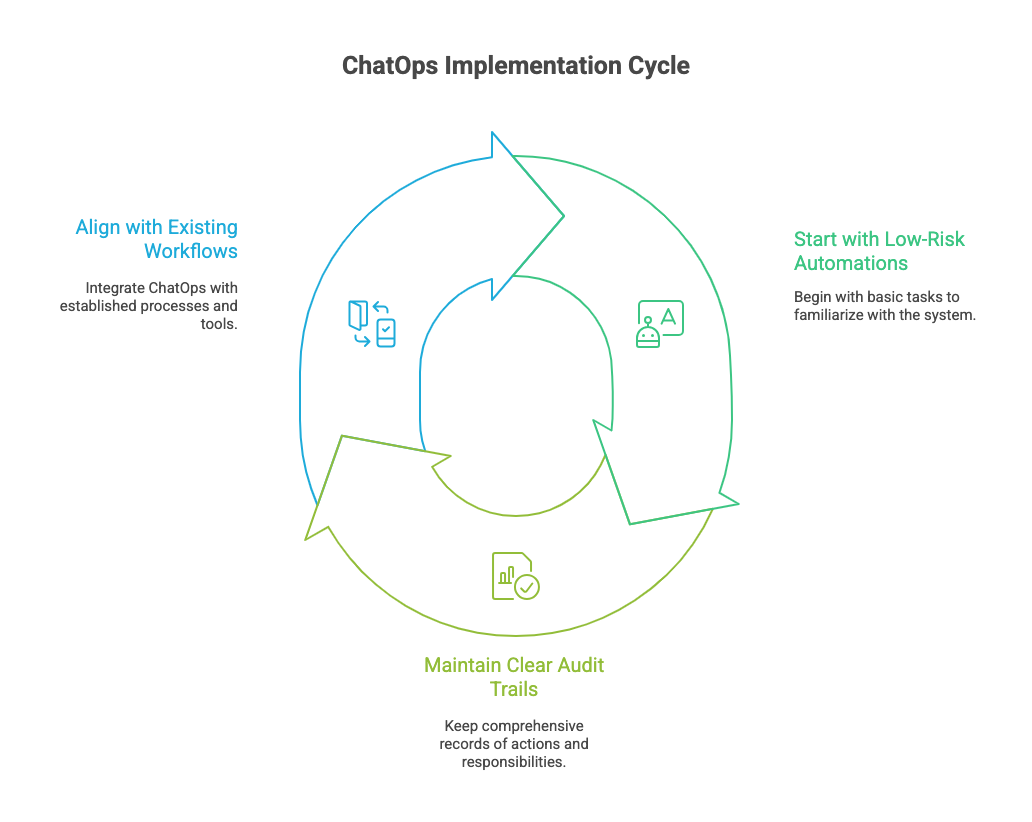
- Begin with Low-Risk Automations: It is advisable to start with basic, non-intrusive tasks such as performing health checks or collecting diagnostic data, rather than immediately changing core network components. This approach allows for gradual familiarization with the system prior to undertaking more complex modifications.
- Maintain Clear Audit Trails: A key advantage of ChatOps is that conversations serve as comprehensive records. The chat history offers a natural, searchable audit trail detailing actions taken and the individuals responsible, along with corresponding timestamps. This functionality is essential for effective troubleshooting, accountability, and ensuring compliance.
- Align with Existing Workflows: The ChatOps workflow should enhance and integrate with established processes rather than substitute them. Incorporate it with your IT Service Management (ITSM) tools to ensure that all automation initiatives remain consistent with organizational governance and compliance requirements. This approach delivers the advantages of automation while maintaining appropriate oversight and control.
 Final Thoughts
ChatOps goes beyond mere convenience; it integrates automation seamlessly into the routine operations of team collaboration. Platforms such as Slack, Cisco Webex, and Microsoft Teams facilitate direct incorporation of network automation within organisational workflows.
By initiating with modest implementations, establishing clear safeguards, and progressively scaling these solutions, organizations can foster ChatOps environments that enhance collaborative efforts, expedite automation initiatives, and strengthen network resilience.
Disclaimer: This post is for educational purposes only and does not endorse any specific vendor, architecture or solution.
